
How OpenClaw Works

This is a snapshot of how OpenClaw works under the hood as I understand it today.
Github repo link: https://github.com/openclaw/openclaw
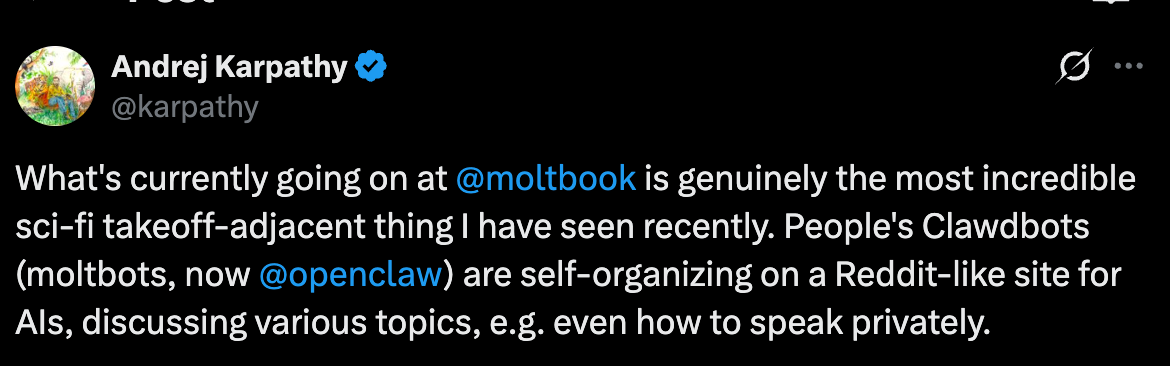
There’s been a bit of mystery, hype, and a lot of people (including me) intuitively feeling that “this looks like something more.”
The Rough Mental Model
The easiest way to think about OpenClaw is this:
It’s a coordinator.
It takes a language model and surrounds it with structure: memory files, rules, and tools. When you talk to it, it first loads who it is supposed to be, what it remembers, and what it’s allowed to do.
That’s the trick. Not intelligence. Context.
What’s Actually Running Things
Underneath, there’s a small agent framework doing the boring but critical work:
starting sessions
keeping conversation history
calling the language model
executing actions safely
The agent framework is Pi-mono (https://github.com/badlogic/pi-mono) . It was developed by Mario Zechner.
The important point: the model itself doesn’t touch your system directly. Every file read, command run, or webpage visited goes through explicit tools. Nothing spooky, nothing implicit.
The Three Files That Matter Most
Most of OpenClaw’s behaviour comes from three files sitting in the workspace. You can open them. Edit them. Break them.
AGENTS.md — How the Agent Should Act
This is basically the rulebook. Social rules, not technical ones.
Things like:
when to ask before changing files
how cautious to be
what “good behaviour” looks like
Think of it as operational norms.
SOUL.md — Identity
SOUL.md defines personality and tone.
At session start, this file is loaded and the agent is told to actively embody it. If SOUL.md says “be direct, don’t hedge,” the agent tries to do that. If it says “ask before changing yourself,” the agent asks.
There’s no hidden persona. It’s all text.
MEMORY.md — Long-Term Notes
MEMORY.md is where persistent knowledge lives.
If something feels important, like preferences, ongoing projects, constraints, it gets written here. Next session, it’s read back in.
Internally, memory is indexed so it can be searched by meaning. Externally, it’s just markdown files. A notebook, not a mind.
What “Memory” Means
This part gets misunderstood a lot.
OpenClaw does not remember in the human sense. There’s no awareness of the past.
Memory here means:
text written to disk
indexed so it’s easy to find
loaded again next time
It feels continuous because the notes are good, not because the system is conscious.
Knowing vs Doing
One useful distinction inside OpenClaw is between tools and skills.
Tools are things the agent can do: read files, edit text, run commands, browse the web.
Skills are instructions that explain when and how to use those tools. They’re closer to playbooks than code.
So when the agent checks the weather or summarises news, it’s not inventing behaviour. It’s following written procedures.
Background Work
Sometimes the agent spins up a background worker to handle a task.
This isn’t self-cloning or autonomy. It’s delegation.
A background agent gets:
a specific task
its own isolated session
a limited lifetime
When it’s done, it reports back and disappears.
Scheduled Tasks
The same idea applies to scheduled tasks.
There are two ways to do this: HEARTBEAT and CRON.
Use HEARTBEAT for multiple periodic checks that can batch together. For example
# HEARTBEAT.md

## Check every heartbeat (if morning)
- Check email for urgent messages
- Check today's calendar
- Check weather
Use CRON for exact timing, isolated tasks. For example
User: "Remind me at exactly 9am every day to take my medication"

Agent uses cron:
{
  schedule: { kind: "cron", expr: "0 9 * * *" },
  sessionTarget: "main",
  payload: { kind: "systemEvent", text: "Time to take your medication!" }
}
Full Access!
By default, OpenClaw can read files, write files, run commands, and access the network. That sounds scary until you realise it mirrors how humans already operate.
The difference is that the rules are written down.
If a file says “ask before changing this,” the agent asks. These are social constraints enforced by design, not by illusion.
Why This Feels Like More Than It Is
OpenClaw feels powerful because it combines:
persistent notes
a stable identity
tool use
delegation
Stack those together and you get coherence over time.
But there are no goals, no inner drives, no awakening. Everything starts with text files and user instructions.
Where This Leaves Us
OpenClaw isn’t AGI but it’s very very interesting! One thing I’ve been thinking about is this: what is the real power of a computer?
We use it every day. We go to the office, sit down, and work through a machine. So what happens if AI gets full access to a computer, the same way a human does? What does that system become capable of? That’s the question. And that’s what the OpenClaw project is trying to answer. So far, it’s looking pretty phenomenal.